
Upload or Take a Photo
Upload a photo of your garage, bathroom, patio, or any room you want to preview. Try to get the whole room in frame, floor and walls included, for the most accurate comparison.
See exactly how different colors and flake blends will look in your garage. Upload a photo of your space or use one of our sample rooms.
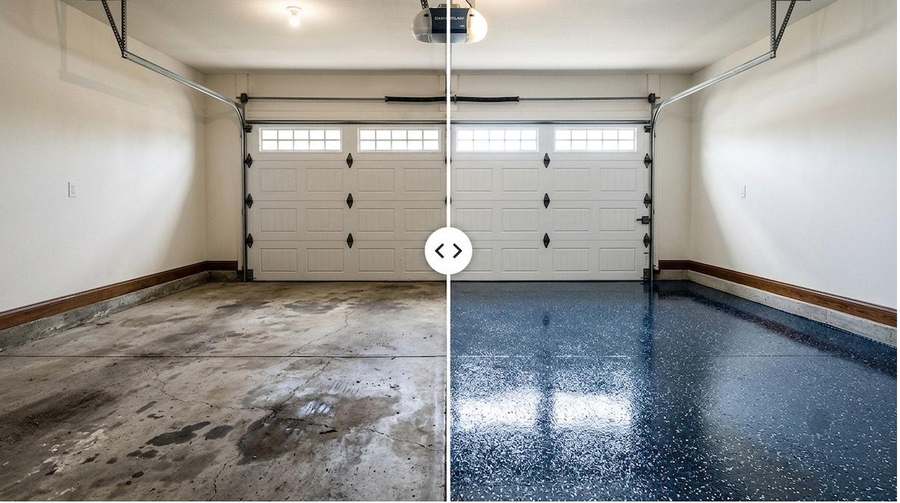
Upload a photo of your garage or start with a sample room, then browse colors and flake blends until you find the one. The tool opens in a new tab so you can come back here anytime.
Open the Floor VisualizerFree to use. No account needed to start designing.
Upload a photo of your garage, bathroom, patio, or any room you want to preview. Try to get the whole room in frame, floor and walls included, for the most accurate comparison.
Browse epoxy and polyaspartic options. Our flake blends are the most popular choice for a durable, decorative finish.
Visualize your new floor in real time. Click the compare button in the tool to slide between the before and after view.
Take a photo of your garage in good lighting, upload it, and see how different Sherwin-Williams epoxy and polyaspartic colors will look in your space. Tonny can match any color from the visualizer when he installs your floor.
Tonny brings a physical sample board to every consultation, so you can see and feel our most popular flake colors on a real floor, not just a screen.
Text Tonny a screenshot of your favorite design and he'll quote your job.